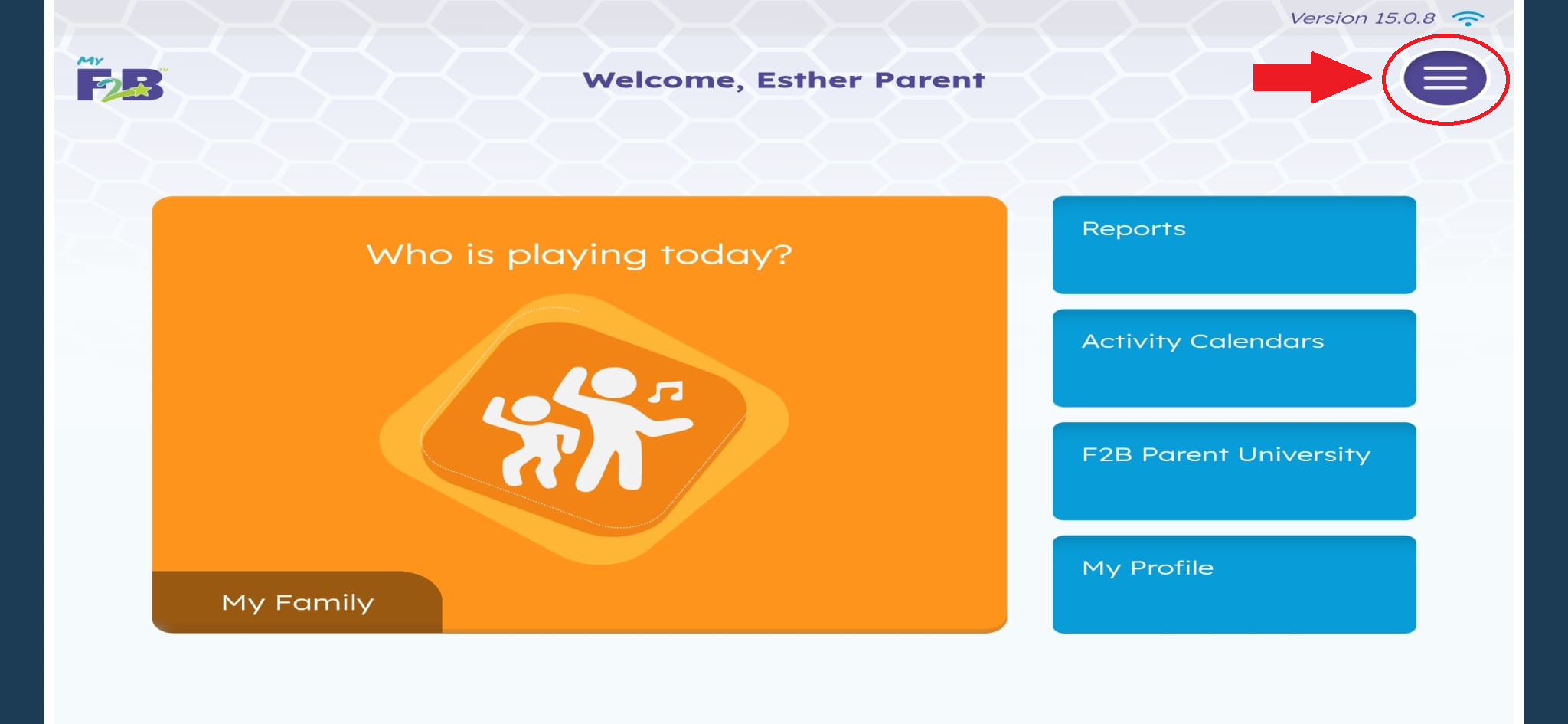
When MyF2B content is downloaded for offline play, it may require between 2.5 and 18 GB of space, depending on how much content is downloaded. To download content and view how much storage space is needed, tap on the purple menu icon.
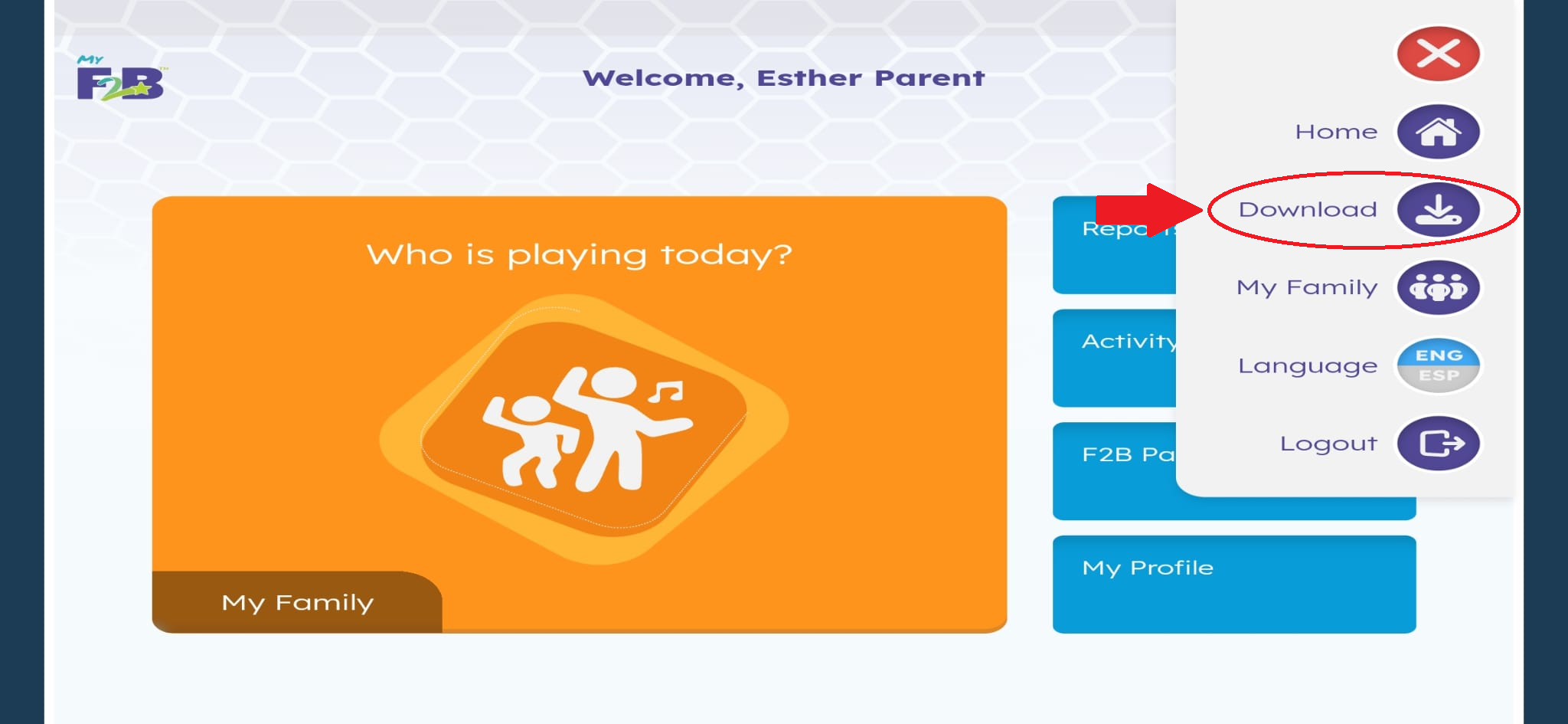
Next, select Download
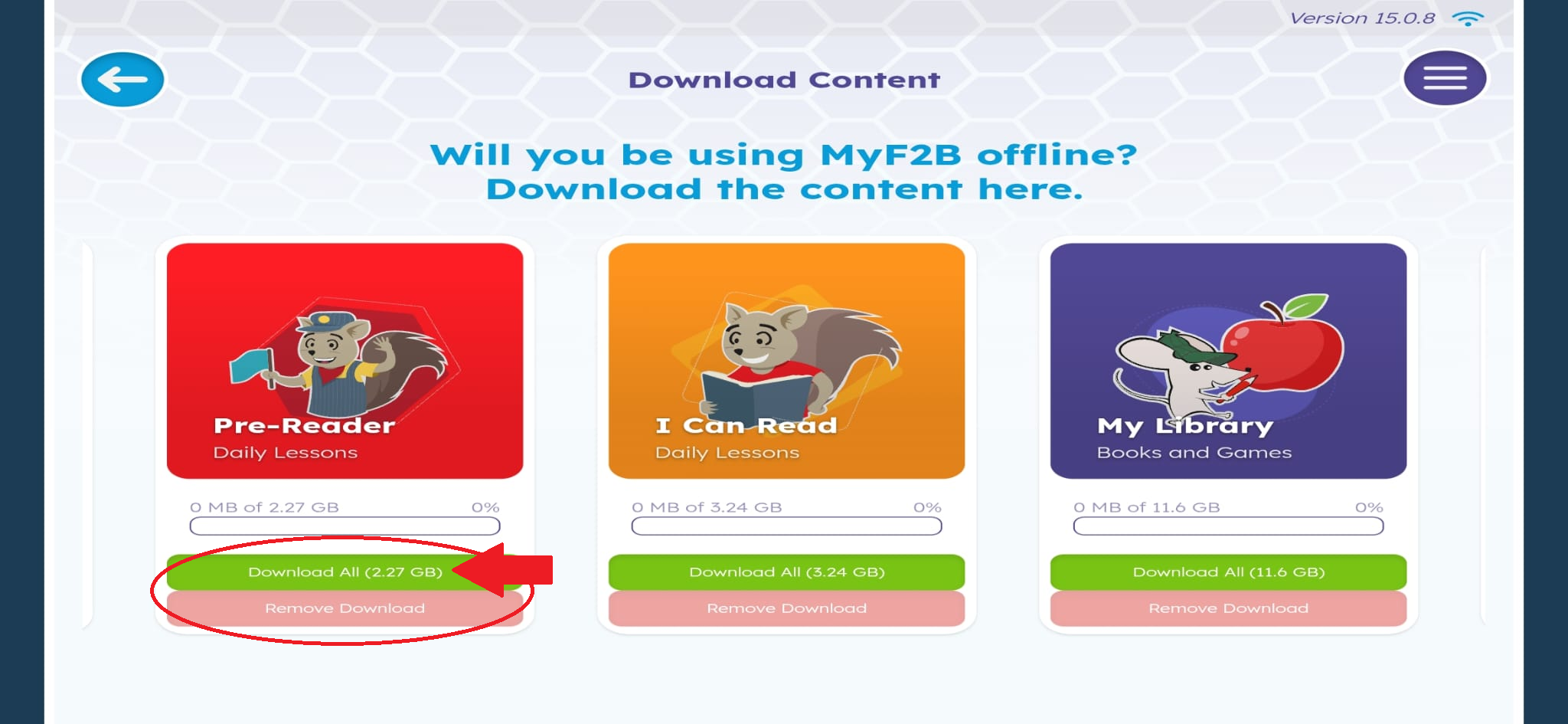
Here, you can view how much space each course requires to download for offline play. You can also see how much of the course has already been downloaded.
To download the course, tap on Download All. If you need to free up space, tap on Remove Download to remove the course.
Please note: You must be logged into the app as a teacher, administrator or a parent in order to delete content. Students are unable to delete content.
For more information on how to set up your device for offline play, please click here: How do I download and set up my device for offline play?
Was this article helpful?
That’s Great!
Thank you for your feedback
Sorry! We couldn't be helpful
Thank you for your feedback
Feedback sent
We appreciate your effort and will try to fix the article